
From a WordPress URL to a prioritised content workflow.
A complete walk-through of the PENMAN Pro flow — from the first connection, through analysis and generation, to a safe WordPress publish.
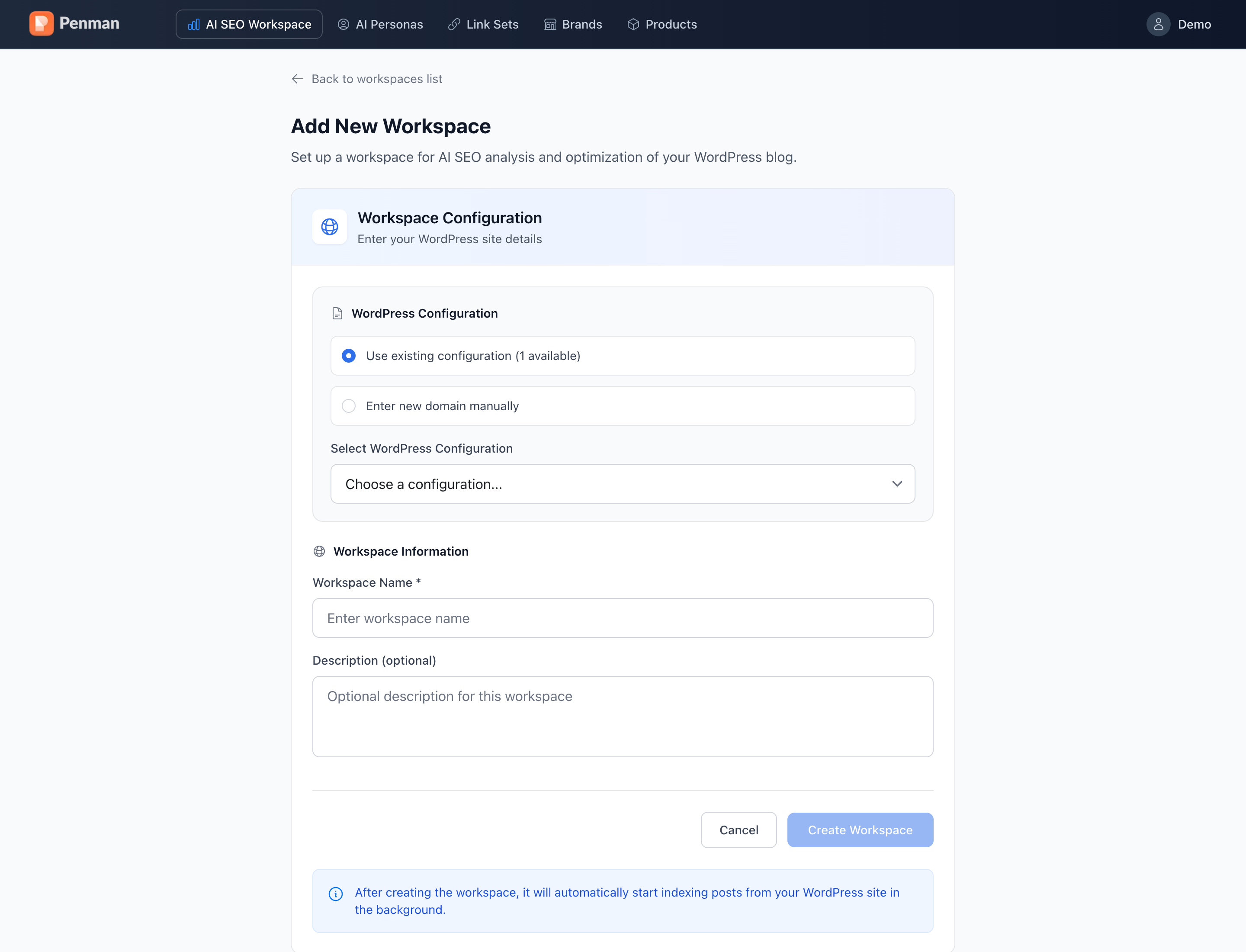
Connect your WordPress blog
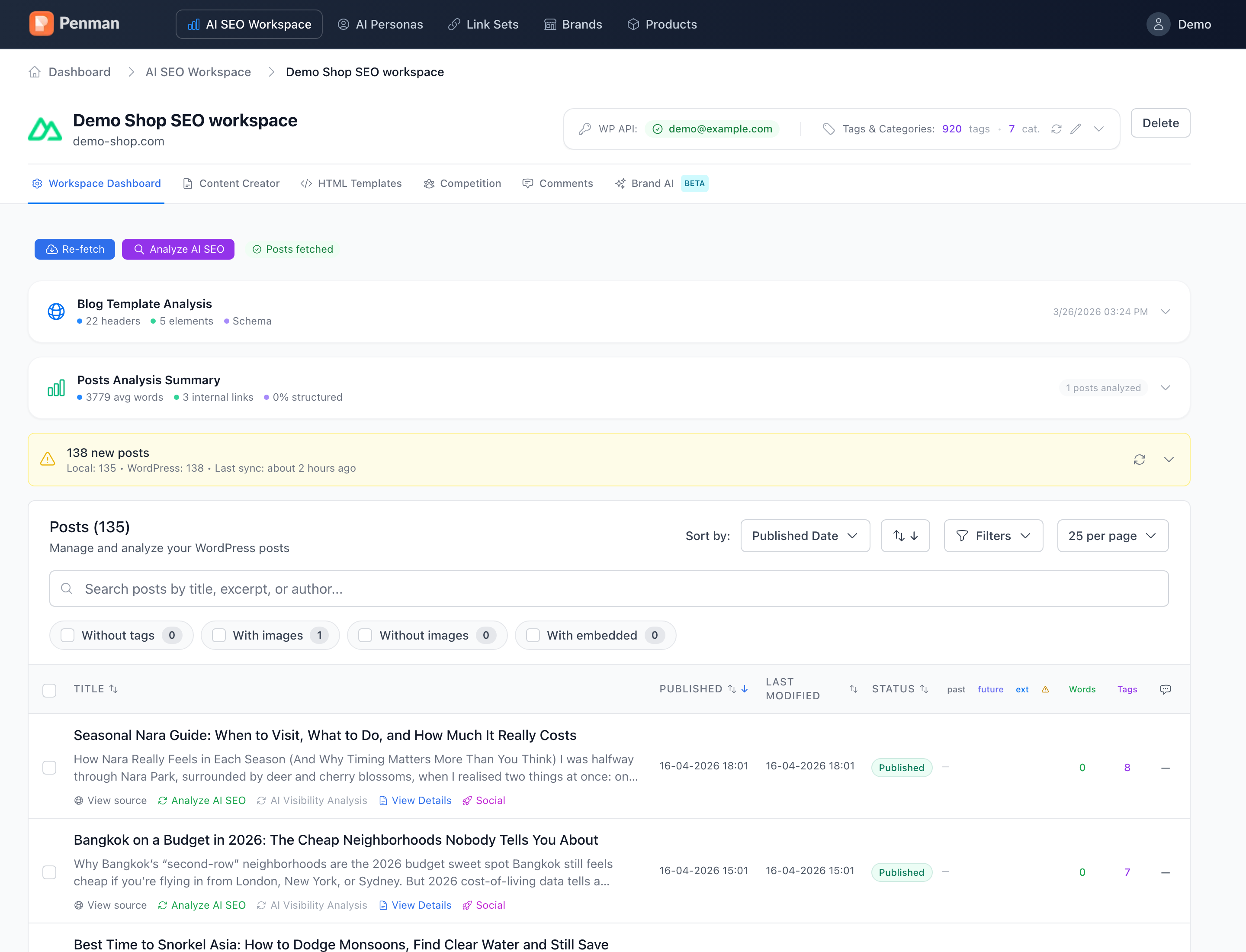
Enter your blog URL. Penman imports public WordPress content through the REST API. A WordPress Application Password is not required for the import; AI operations use your Penman credits or supported own API keys.
- Works with self-hosted WordPress and most managed WordPress hosts
- Use Re-fetch when you want to import new or updated posts
- Add a WordPress Application Password only when you choose to send drafts back to WordPress
Run the AI Visibility audit
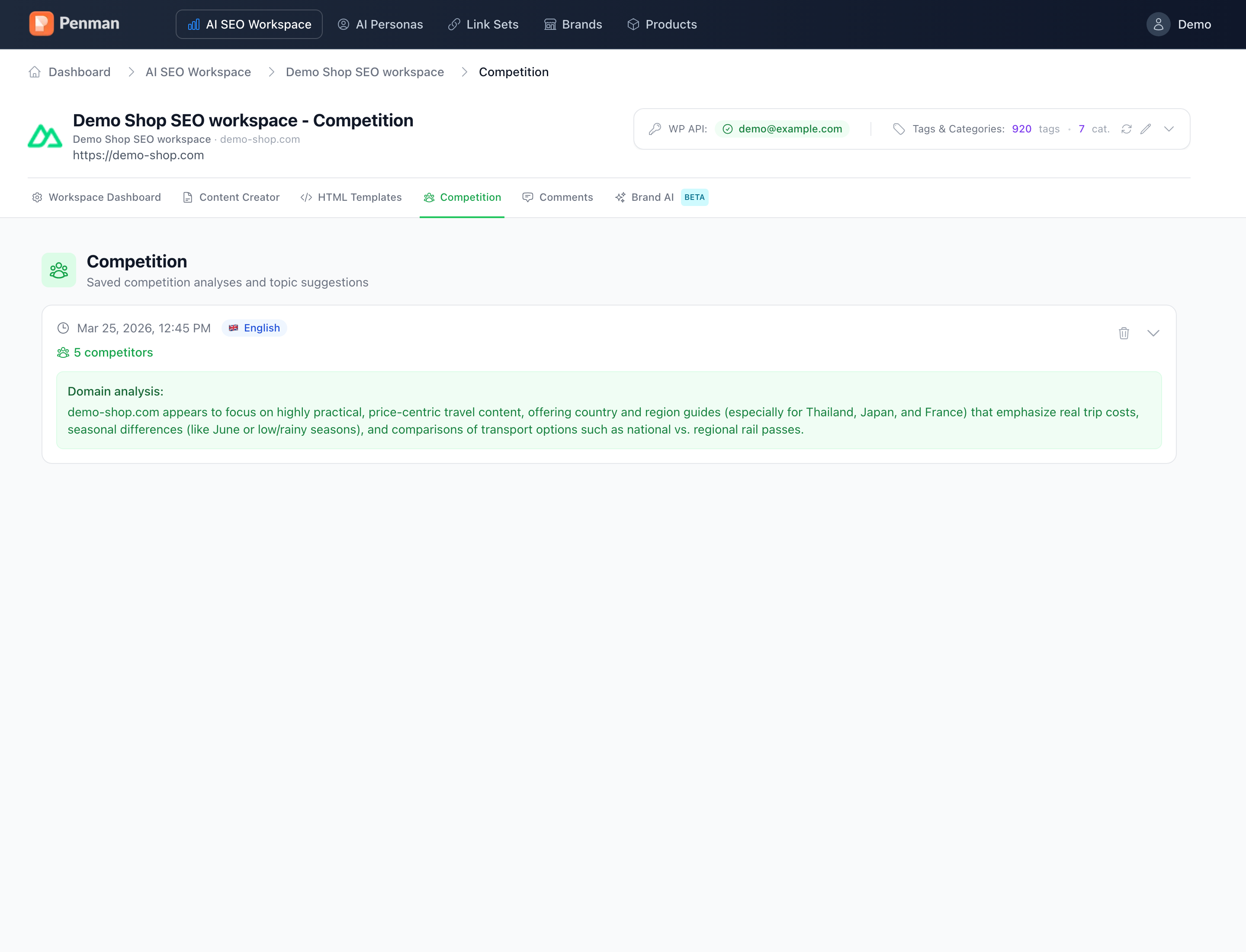
Penman analyses imported posts in the background for headings, links, alt text, schema, content depth, readability and AI visibility signals. Duration depends on the amount of content and the analyses you run.
- Basic imports up to 100 posts per workspace; Pro imports up to 500
- Use AI Visibility and Competition views to inspect model responses and cited sources
- Review prioritised, page-level recommendations before changing content
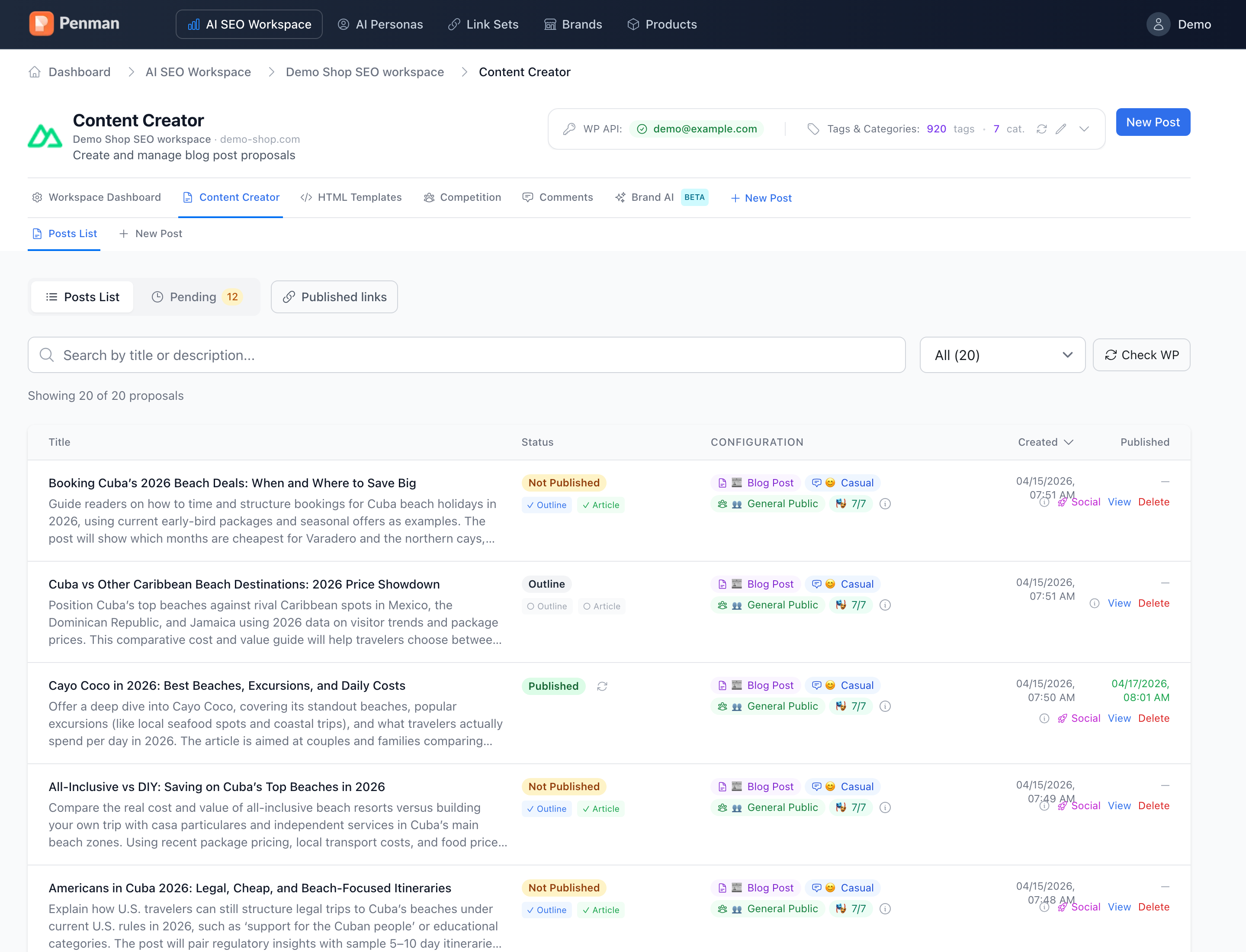
Build articles in your brand voice
Pick a Persona (expert / casual / reviewer) and a Brand. Choose article type, tone and audience. PENMAN generates a structured outline first — you tweak the headings — then the full article in WYSIWYG.
- Source ideas from your tags, NewsAPI or custom RSS feeds
- Attach Brand context — AI sticks to your USPs and forbidden phrases
- Use Product Sets for round-ups, comparison tables and listicles
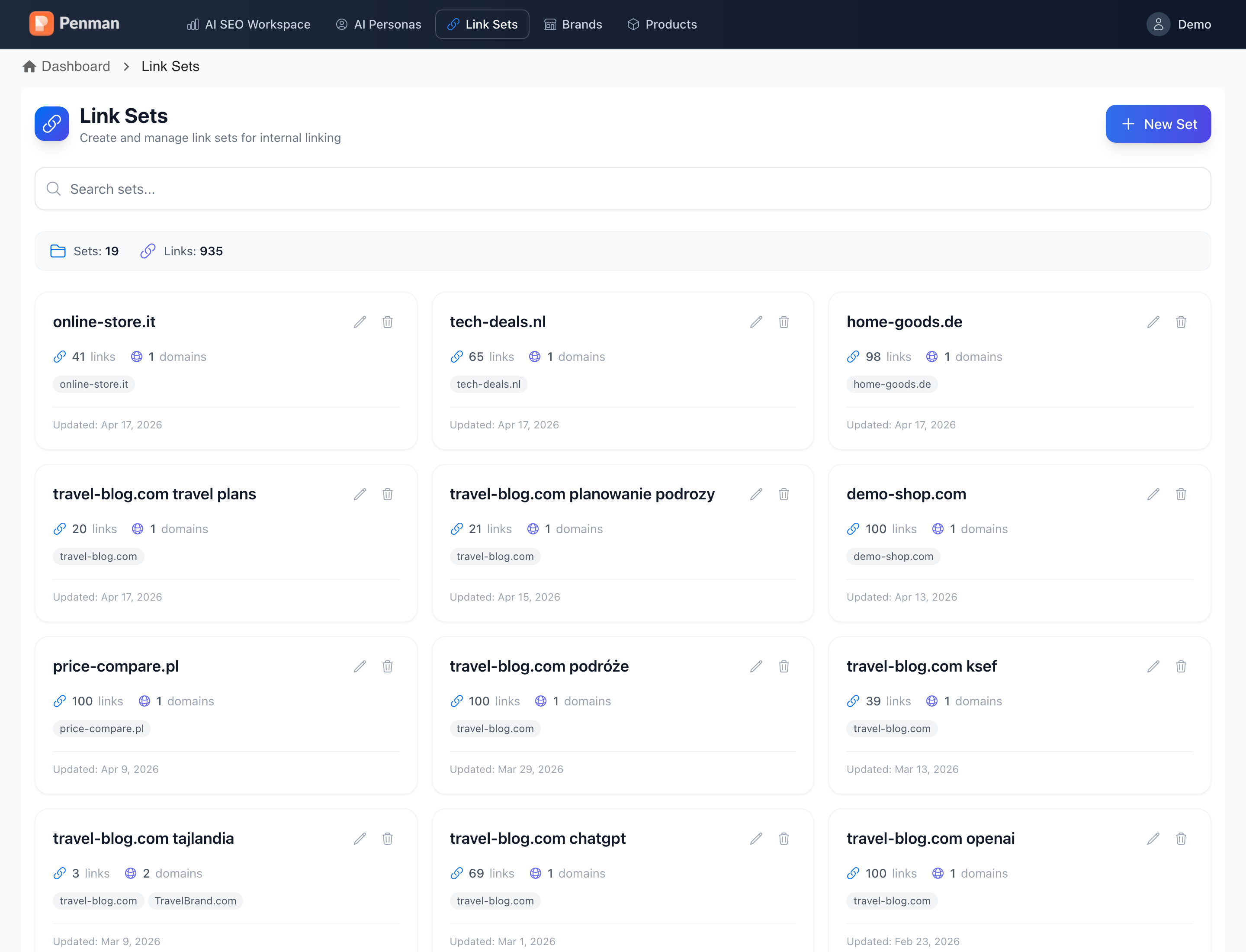
Add internal links & AI snippets
Build Link Sets from your sitemap. PENMAN suggests the best place to drop each internal link. Use HTML Templates (FAQ blocks, comparison tables, feature lists) to make every article AEO-friendly out of the box.
- Import internal-link sets from your sitemap or upload a list
- Inject reusable HTML blocks with one click
- Schema-friendly structures so LLMs find your answer
Publish safely to WordPress
When you're happy, click Publish. The article (or change) lands as a WordPress draft via Application Password. Approve, schedule, or skip. Every change is reversible — full WP revisions kept.
- Application Password setup takes ~1 minute
- Don't want the key? Copy & paste manually
- Sync status shows what's saved, pending or stuck
Pick the workflow that matches your reality.
Improve what already exists, or publish fast when the moment matters.
Optimize existing WordPress pages
Import your site context, measure AI source selection, then turn gaps into scoped draft updates.
- 1AI Visibility shows inclusion tiers + source set for your intents.
- 2AI Competition compares you against sources AI already prefers.
- 3Tasks/outline become a draft update you can review.
- 4Publish explicitly, then re-run visibility to verify movement.
RTM & new posts (move fast, stay controlled)
Turn a timely topic into a structured outline and a reviewable WordPress draft — then verify.
- 1Select a news/tag opportunity and define the intent.
- 2Generate an outline that matches how AI answers your topic.
- 3Draft content + structure, staged safely in WordPress.
- 4Publish explicitly, then verify with a follow-up run.
Concrete outputs you can assign, review and ship.
Without auto-publishing. Every change is reviewable, reversible and explainable.
Outputs
Recommendation backlog, outlines, WordPress drafts, link routes and operation logs.
Why this works for AI visibility
Structured representations (entities + intent modeling) help make content clearer for retrieval and attribution contexts.
Governance
Draft-first changes, explicit approval, diffs, revision history and rollback — every time.
Clear answers about safety and the loop.
No. PENMAN is draft-first. You review diffs and publish explicitly. Rollback and revision history are part of the flow.
It means the sources AI already uses for your topic and intents. PENMAN helps you compare coverage and clarity against that set.
The goal is not copying. It’s closing clarity gaps: structure, definitions, intent coverage and trust context that help AI retrieval.
Sources come from the visibility runs for your intents/topics. The comparison set is grounded in what AI already prefers in that context.
A backlog of recommendations/tasks, structured outlines, WordPress drafts, internal linking routes and operation logs.
Many teams start by improving a small set of key pages first. The fastest path is a single draft batch + re-run verification.
Measure AI visibility → ship draft-safe improvements.
Pick a topic/intent set, get a clear action backlog, publish only what you approve.