WordPress publishing — draft-first, with diffs & rollback.
Safe Publishing is the layer that turns PENMAN insights into safe changes inside WordPress. After you connect your site, PENMAN can apply content updates, AI-driven improvements and internal linking — but always as a version to approve before publishing.
Everything lands as a reviewable draft.
See what changed, line-by-line.
Revert safely using revision history.
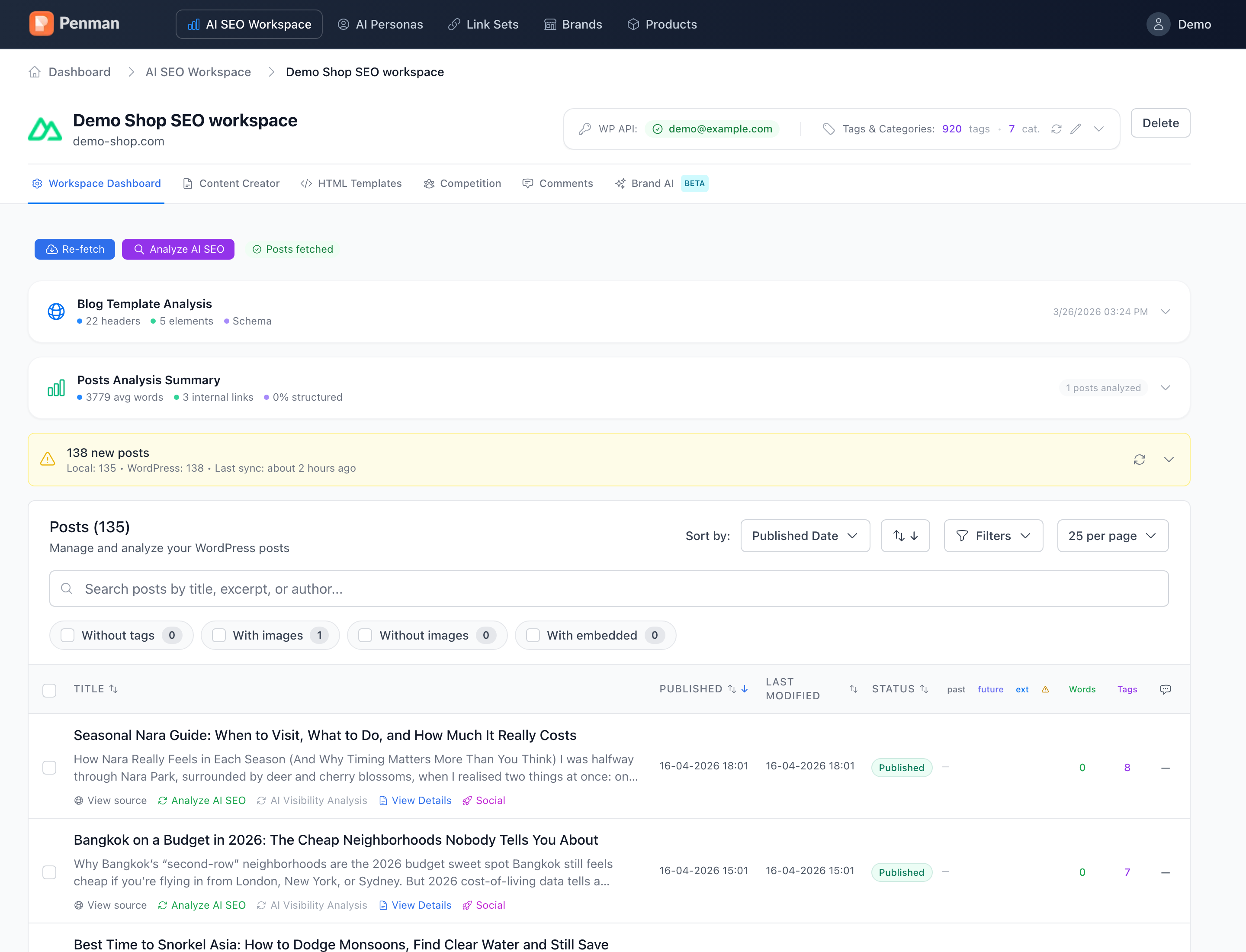
PENMAN supports automated execution, but publishing remains an explicit approval step.
Never auto-published
All AI proposals land as drafts. The “publish” button stays in your team’s hands.
Side-by-side diff
Per-section view of what changed and why — recommendation tags included.
Full revision history
Original revisions stay intact in WP. Roll back at any time, no data loss.
How Safe Publishing works.
Built to eliminate risk: connect WordPress once, then push improvements as drafts with full diffs and rollback.
Connect WordPress (once)
Add your WordPress site connection so PENMAN can create drafts and apply updates safely inside your CMS. Without WordPress integration, you can still analyze and generate — execution becomes manual.
Generate changes (AI improvements, content updates, linking)
Execute improvements produced by other modules: AI-driven content fixes, structural enhancements and internal linking updates. PENMAN turns these into concrete edits — ready to apply.
Apply as a draft (never straight to live)
PENMAN writes the updated version into WordPress as a draft/autosave variant, ready for review. Publishing stays under human control — especially important for AI-driven edits.
Review full diffs + keep version history
Safe Publishing preserves a complete change trail. Review diffs (before vs after), inspect revisions and keep an audit-friendly history.
Approve & publish (explicit)
When the draft is approved, publish it — explicitly. If anything looks off, rollback to a previous version.
Ship AI improvements without touching production.
Use Safe Publishing for:
- AI content improvements (structure, clarity, additions) as drafts.
- Internal linking inserts and updates directly in WordPress — draft-first.
- Publishing new posts generated in Content Creator with review before go-live.
Built to be comfortable for teams: fast review, clear diffs and reversible changes. Audit-friendly by default.
Execute improvements without fear.
Connect WordPress, generate improvements, save drafts, review diffs and publish only after approval.