
Internal links that make sense — semantically.
PENMAN builds a semantic representation of your posts and pages (vector-based meaning), then proposes internal links between actually related pages — including from older posts to newer ones. No keyword stuffing, no “100 links” plugins. Just relevance, anchors, and clear reasoning per suggestion — so your topic clusters get stronger for both SEO and AEO/GEO.
Links by meaning, not keyword overlap.
Connect historical posts to fresh content.
Every change saved as draft, approved before publish.
AEO isn’t only about “writing for AI”. It’s also about making relationships explicit so AI can navigate your knowledge. Internal linking is your site’s map.
Stronger topic clusters → stronger AI citations.
Topic graph
Posts are clustered by entity and intent — not just URL slug. PENMAN sees what your content is really about.
Smart anchors
Anchor text is generated to match the destination page’s primary entity — clean for users, clear for crawlers and LLMs.
Approve, then apply
Every suggested link lands as a WordPress draft with a clear diff. Approve, schedule or skip — nothing goes live without you.
Choose how links are added.
PENMAN can insert links in different shapes depending on editorial preference. Every option is compatible with draft-first publishing.
Naturally in the middle
AI picks the best sentences and inserts links naturally inside the article body — no forced anchors, no awkward placements.
Textual reference at the end
Adds a short paragraph at the end with contextual references to related posts — perfect for editorial outros.
“See also” list
Appends a clean “See also” section with a short list of related articles — the safest, most explicit option.
Add internal links to a post
Pick a target post, choose how many related articles to include, and select an insertion mode.
- Naturally in the middle — AI inserts links in optimal places in the body.
- Text description at the end — adds a short contextual paragraph.
- Link list at the end — creates a “See also” section with links.
Editorial flexibility, predictable safety.
Switch insertion mode per article, per author, or per workspace — the safety rails (drafts, diffs, revisions) stay the same.
Full internal linking analytics — not just HTML.
PENMAN analyzes linking across the entire site: internal + outbound links, link distribution, and even non-HTML resources you reference.
Internal vs outbound
Understand how link equity flows inside your site and where users get sent away — in one dashboard.
Coverage & orphans
Spot under-linked pages and missing connections in key clusters — before they hurt rankings or AI visibility.
Non-HTML assets
Track PDFs, DOCs and downloads referenced across content. Catch broken or stale resources you forgot about.
Link quality signals
Identify over-linked patterns and inconsistent linking that hurts clarity for both users and language models.
Why this helps AEO
AI systems benefit from explicit relationship graphs. When your content is connected cleanly, it’s easier for an LLM to navigate topics and pick supporting pages as context.
How semantic internal linking runs.
A consistent workflow: build the semantic base, choose a target, generate links, and apply them as drafts with diffs.
Build the semantic base
PENMAN creates semantic representations of your content so it can match by meaning, not just words.
Pick a target post
Choose the post to improve — new content, an underperforming old post, or a priority page in a topic cluster.
Generate contextual matches
PENMAN identifies the best related articles across your site — including older posts that still matter.
Choose insertion style
Natural insertion, end paragraph, or “See also” list — your editorial choice, applied consistently per workspace.
Apply safely as a draft + review diffs
Changes are saved as drafts, reviewed with diffs, and published only after explicit approval — via Safe Publishing.
A repeatable workflow, no risky live edits.
- Draft-first updates (autosave / draft)
- Diff review and full revision history
- Rollback-ready publishing control
- Per-workspace insertion style + Personas
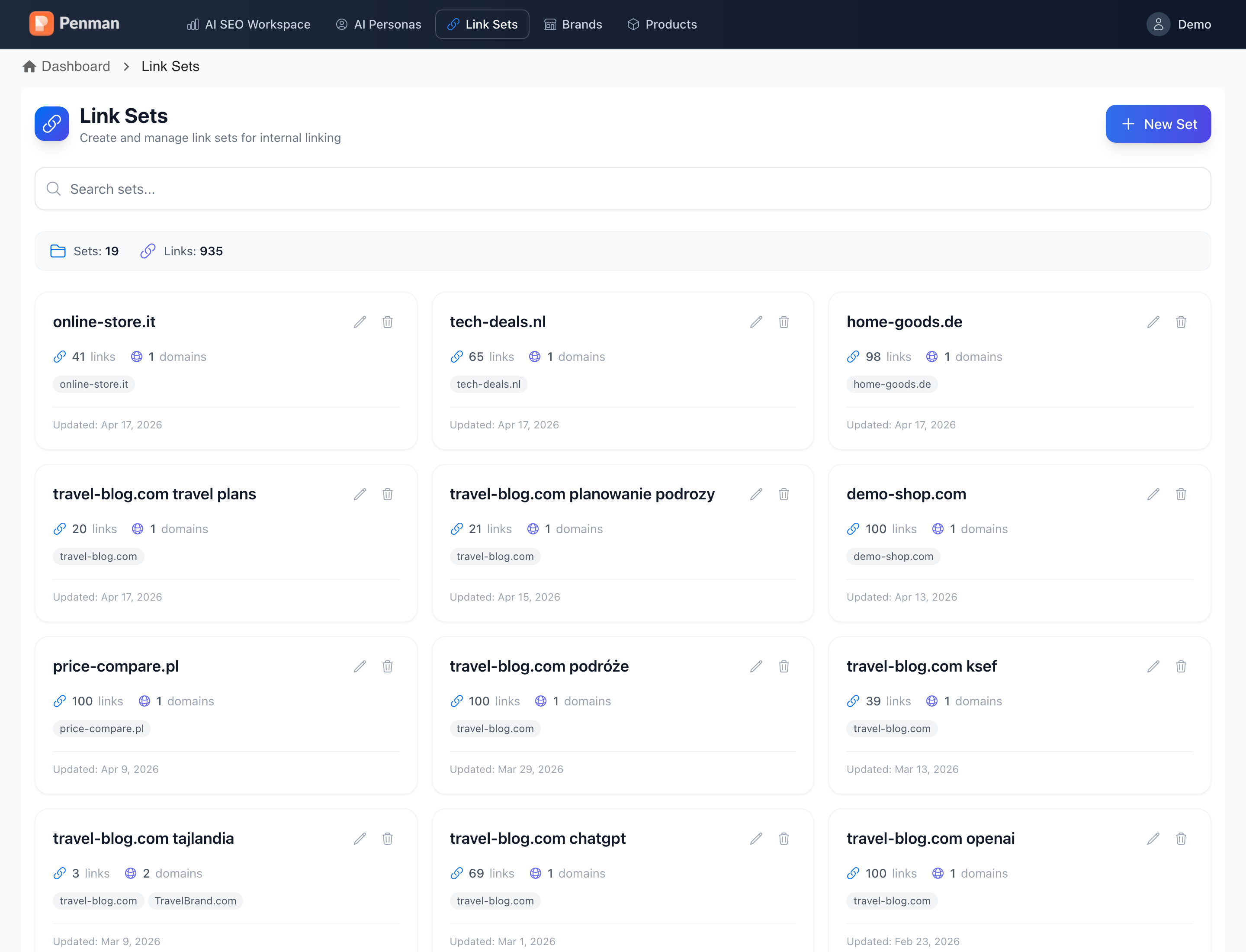
Use Link Sets to keep linking consistent.
Define approved destination pages and let PENMAN reuse them across workspaces, authors and articles — great for agencies and large publishers.
Explore Link SetsTurn internal linking into a system you can scale.
Build semantic clusters, support SEO and AEO clarity, and keep full control with draft-first execution and diffs.