
The system that tells you: are we selected as a source?
AI Visibility is the diagnostic layer inside PENMAN. It runs a repeatable check across LLMs (GPT, Claude, Perplexity, Google AI Overviews), extracts the sources AI prefers, classifies relevance into consistent tiers and surfaces “included vs ignored” gaps — so the next step is obvious: compare against the source set, generate recommendations, then execute safely.
Sources + tiers + visibility signals.
Normalized outputs, not messy AI text.
Feeds AI Competition & Recommendations.
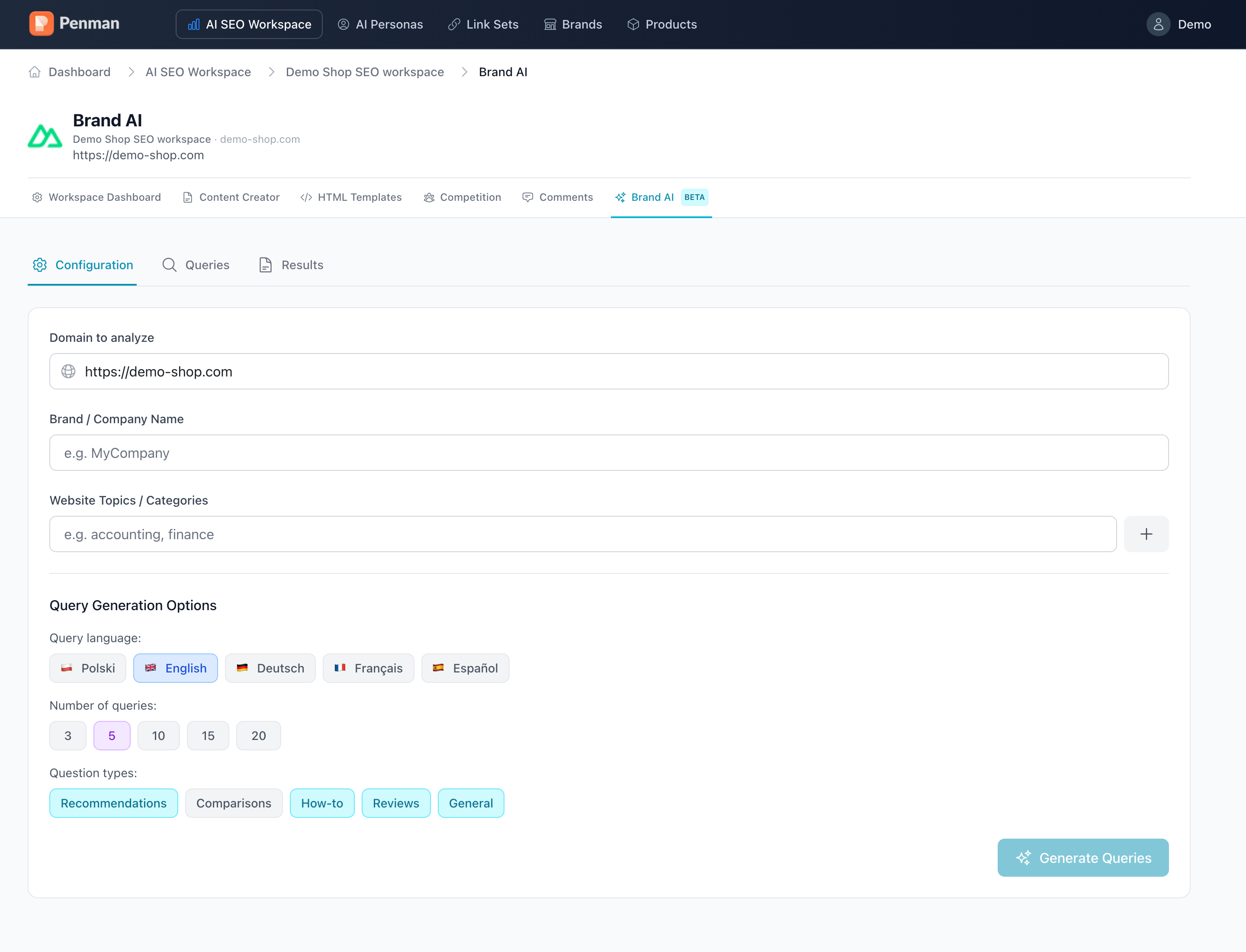
AI Visibility helps you measure gaps and decide what to improve next. Draft-first by default — you approve before anything goes live.
From audit to action plan, in one screen.
PENMAN runs your brand and category prompts against multiple LLMs — and turns the gaps into concrete article briefs.
Multi-model coverage
Track citations across GPT, Claude, Perplexity and Google’s AI Overviews. One score, one trend line.
Prompt-level diagnostics
See the exact prompts where you’re missing, the sources LLMs cite instead and the entities you need to cover.
From gaps to briefs
Each missing prompt becomes a concrete article brief in Content Creator — outline, target audience, talking points.
A controlled pipeline, not a one-off audit.
Prepare context, run visibility, normalize results, then hand off to recommendations and safe execution.
Set the Workspace context
Choose the site/workspace and the page(s) you want to evaluate. The goal is to run visibility on the content you actually want AI to cite or reference.
Pass the prerequisite gate (structural / SEO analysis)
AI Visibility depends on a foundation layer. PENMAN runs/uses the structural readiness analysis first, so visibility signals map cleanly into actions later.
Run the AI Visibility check
PENMAN queries the selected AI contexts, observes the answer behavior and extracts the source set that AI is using for your topic/intent.
Normalize results into tiers and gaps
AI outputs are messy. PENMAN converts them into a consistent schema so teams can compare runs and decide quickly.
Store run history
Visibility only matters if you can re-run and compare. PENMAN keeps the results so you can track movement and decide on the next batch.
Hand off to AI Competition & Recommendations
The extracted source set becomes your “competition.” PENMAN uses it to explain gaps and generate a backlog of recommendations and draft-safe tasks.
Make AI visibility a cadence.
Run a weekly loop on priority topics and pages. Decisions get faster every cycle because the data structure stays the same.
The module requires Workspace context and a completed structural / SEO analysis (prerequisite gate).
Visibility results immediately drive action — not a dead-end report. Results flow into Recommendations, then into Safe Publishing with diffs and rollback.
“What’s blocking selection — and what should we ship next?”
Before a content refresh
Run visibility, then prioritize updates that match what AI already prefers.
After shipping a batch
Re-run to compare and decide whether to iterate or move to the next topic.
For stakeholder alignment
Use the source set and tiers to align content, SEO and editorial quickly.
Extract the source set — then compare and execute safely.
Run AI Visibility, then proceed to AI Competition and draft-first execution with diffs and rollback. Publishing is always explicit.